How to remove, uninstall or Disable ChatGPT from Viber app.
Viber Desktop actually gives you the power to right-click and delete the ChatGPT thread, whereas the mobile app locks it down.
- Mobile APP NO. You can not 07/07/2026 on mobile app. No option do block, delete, remove from your Viber app. on the Android. Even in EU.
- But Desktop Viber version has option to delete the conversation.
Desktop version has an option to delete and unsubscribe. Synced with mobile app/ Android
Open desktop Viber version/ right click/ delete and unsubscribe
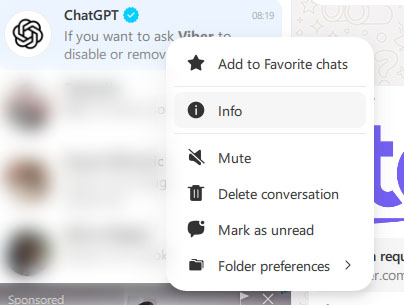
- Open Viber desktop
- Right click and delete conversation
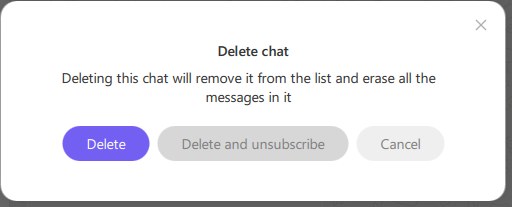
Delete and unsubscribe
I have asked them politely tor remove this chtgpt option from my Viber app.
https://help.viber.com/hc/en-us/requests/new?ticket_form_id=5377663333917&utm_source=removeChatGPT
Please verify your email address to submit request
To complete your request, click the verification link
Answer from Viber
You cannot completely remove or uninstall the built-in ChatGPT integrations from the Viber app because they are baked directly into the platform’s core system. However, you can turn off specific features, hide the AI folder, or disconnect an explicitly linked OpenAI account.
We understand you’re looking to turn off the ChatGPT features. While these tools are built into the app, using them is entirely optional. Please know that your privacy is our top priority, and your private chats and data always remain completely secure.
Viber Support Team
Options I tried on Android app:
1. Turn Off AI Text Polishing & Summaries
If you want to stop Viber from prompting you to summarize group chats or edit your text:
- Open Viber and tap More (three dots).
- Go to Settings > Calls and messages.
- Locate the AI Summary toggle and switch it Off.
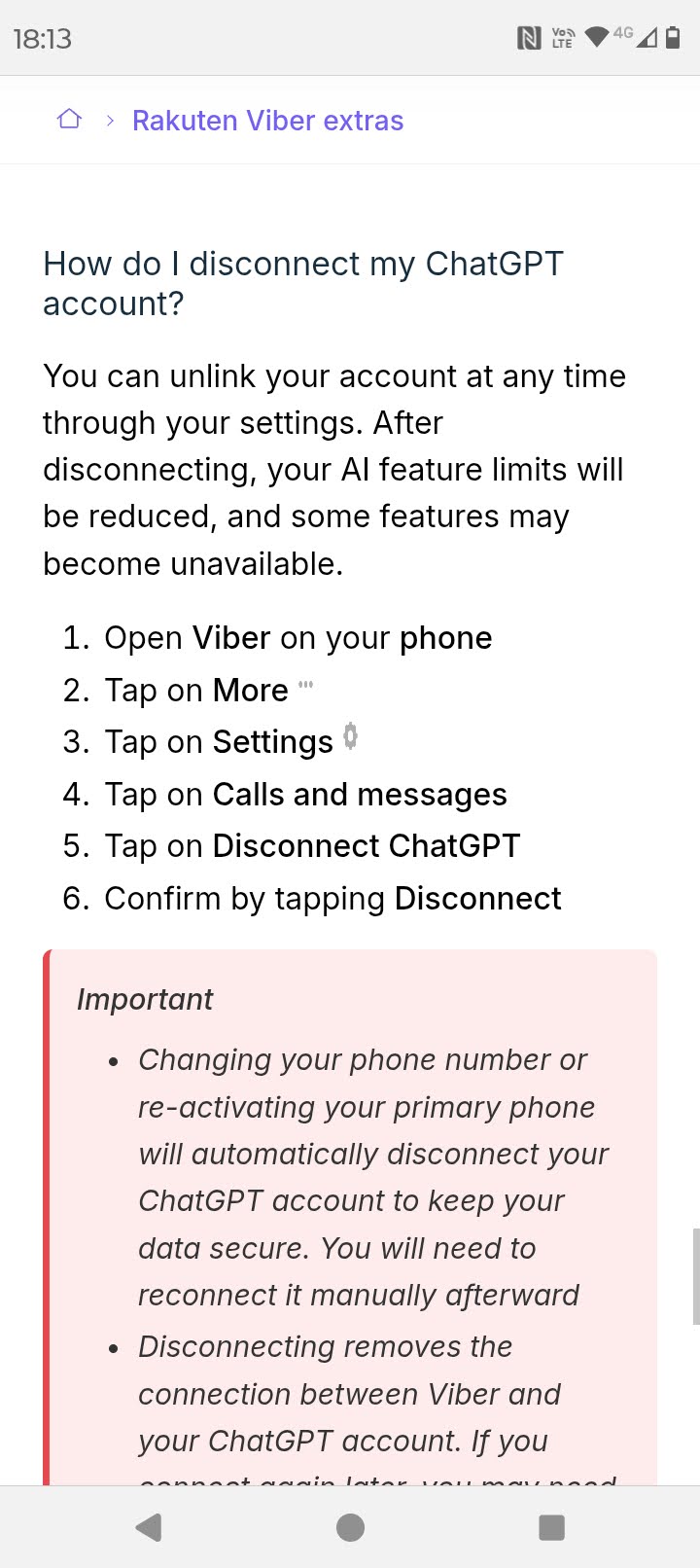
Disconnect ChatGPT from Viber
2. Hide the “AI Chats” Folder
If you have a dedicated folder at the top of your chat list for AI assistants that you want gone:
- Long-press on any folder name at the top of your Chats screen.
- Select Manage folders.
- Long-press the AI chats folder and choose Hide folder.
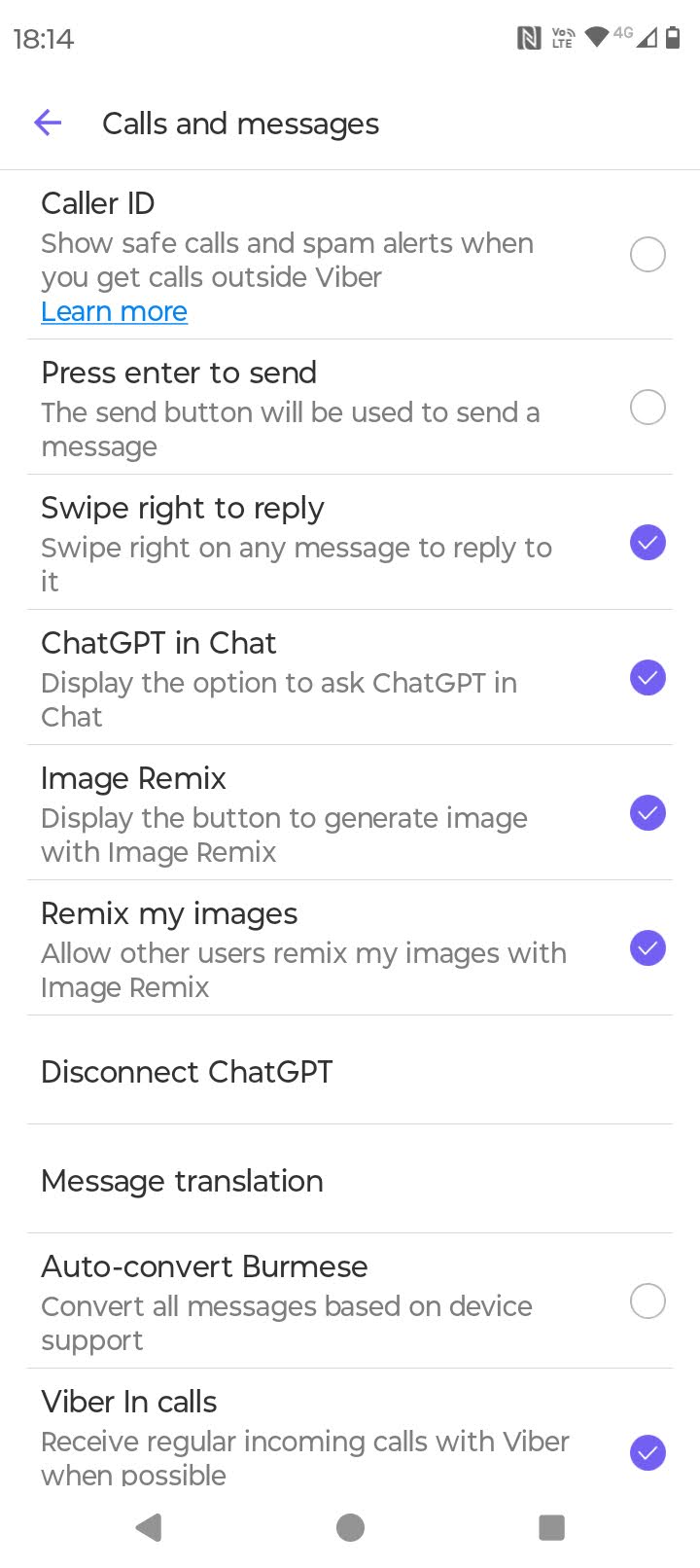
Viber /Settings / Calls and messages / ChatGPT in Chat
3. Disconnect Your ChatGPT Account
If you manually linked your personal OpenAI account to Viber to get higher limits and now want to revoke its data permissions:
- Go to More > Settings > Calls and messages.
- Tap Disconnect ChatGPT and confirm.(Note: If you never linked a personal account, trying this will result in a “Something went wrong” error because there is nothing to log out of).
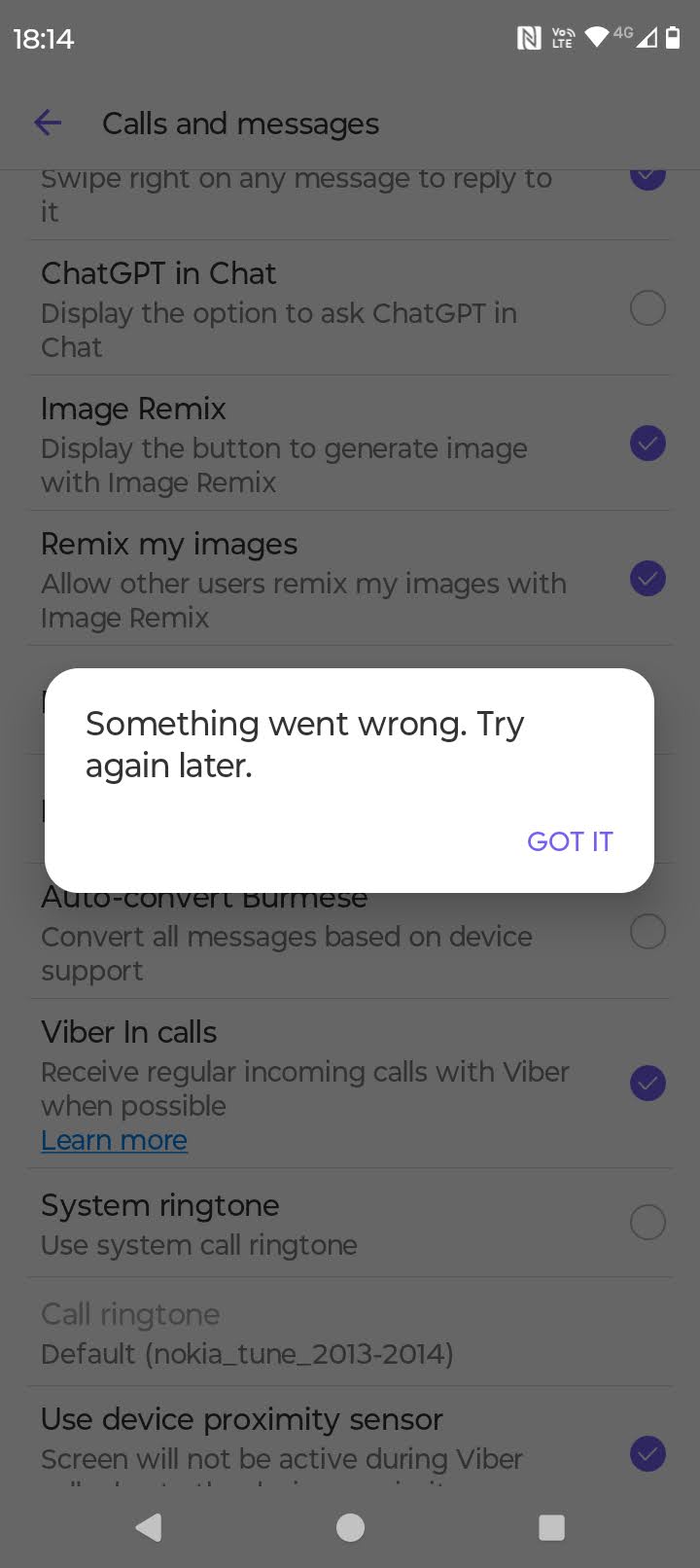
Disconnect ChatGPT
Will not work if you don’t have an account.
Why this AI tools are into the chats?
- THEY NEED DATA to train or to work on. Since there is no other thing on the internet to steal from. (editorial hyperbole,)
- AI needs data and they instead of placing ads are using your data which Viber just maybe charges them. Or they invested into OpenAI. Who knows, who cares.
Ban me please ChatGPT
You can’t even “trick” or provoke the system into giving you a ban because of how the integration is structured.
Because the AI only activates on your explicit command, it has no baseline awareness of your feelings toward it. It will happily sit there on your screen forever, ignoring any insults you type into your regular messages, waiting for the one time you accidentally tap it.
That much of the safeness 🙂
AI country features exceptions – Free world from OpenAI
Country-level restrictions: If you are in a country where OpenAI’s services are blocked by the government (like China, Russia, Iran, or North Korea), the ChatGPT tools will not appear or will not work.
Write them and ask to remove this. Link is above or use Desktop version.
While deleting from Desktop will leave the menu CHATGPT on the app, conversation in call lists will disappear.